User Manual
Users can register for a user account and request a password to start using the Internet by themselves via the website. The system is designed to facilitate the main user groups, namely guests or temporary users (Guest Users) from outside who want to access the network for a certain period of time. There are clear steps for requesting use, along with a user manual in both Thai and English.
This system is under the supervision and service of the Faculty of Management Sciences, and focuses on data security, system stability, and network management efficiency in accordance with the university's standards and the Computer Crime Act of Thailand.
Terms and Conditions of Internet Service are as follows:
1. Scope of Service
1.1 We provide wireless Internet (Wi-Fi) and wired Internet (LAN) for guests staying or using the service without additional charges or may be charged according to the specified package.
1.2 The Internet service is provided in accordance with our terms and conditions and may be limited in bandwidth or speed of use.
1.3 We reserve the right to change or suspend the Internet service without prior notice.
2. Terms of Use
2.1 Users must use the Internet network for lawful purposes and not infringe the rights of others.
2.2 It is prohibited to use the network for illegal activities, such as copyright infringement, unauthorized access to information. Or publishing illegal content
2.3 Do not use the network to send spam or viruses, including actions that may cause damage to the hotel's network system.
2.4 We are not responsible for the leakage of personal information or damage that may occur from using the Internet.
3. Network security
3.1 Guests should avoid using untrusted websites and refrain from providing personal or important information over public networks.
3.2 We may record and monitor Internet usage behavior for network security.
3.3 Users are responsible for their own equipment and should install antivirus programs to prevent cyber threats.
4. Liability and limitations
4.1 We do not guarantee that the Internet service will be uninterrupted or available continuously.
4.2 We are not responsible for any damage caused by the use of the Internet, such as lost data, cyber attacks, or damage to the user's equipment.
4.3 Users are responsible for their own actions and if they are found to have used in violation of the terms and conditions, We reserve the right to suspend or limit the service.
5. Other terms
5.1 The use of our internet is considered as the user's automatic acceptance of the above terms.
5.2 We reserve the right to change the terms of service without prior notice.
When you accept this agreement, you agree to comply with all terms and conditions stated above.
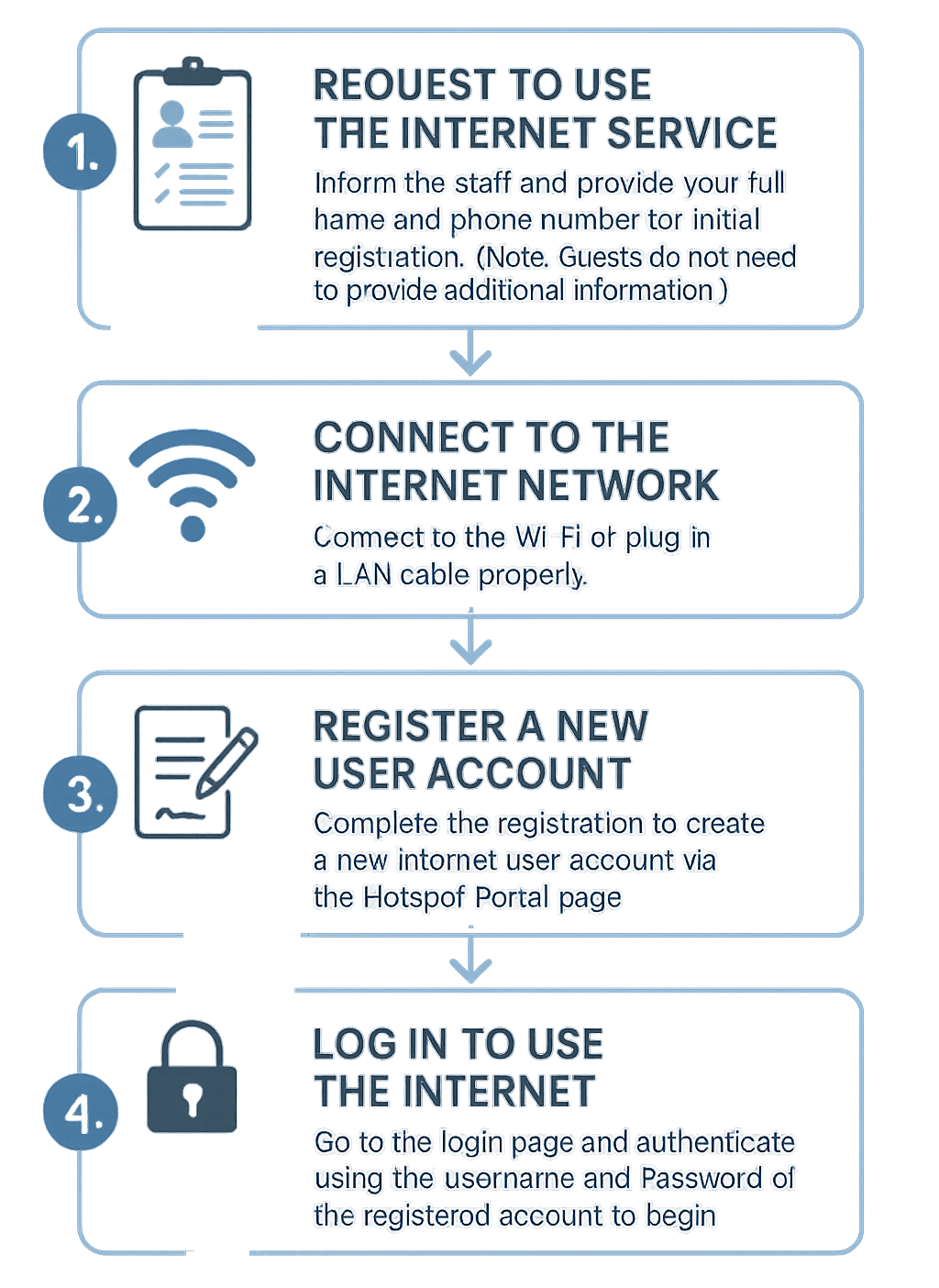
Inform the officer and provide your name, surname, and telephone number for registration (in the case of a guest No additional information required)
2. Connect to the Internet
Connect to the Wi-Fi signal or LAN cable properly.
3. Register for a user account
Fill in the information in the system to create an Internet account via the Internet Hotspot Portal website.
4. Log in to use the Internet
Open a browser → Go to the Login page → Enter the registered Username and Password → Start using the Internet.